More visibility, more control
Two additions to Herald's Intelligent Placement System (IPS) this sprint. Citations show where every answer Herald filled in came from, and self-serve team management lets admins invite and manage their own users.
Citations
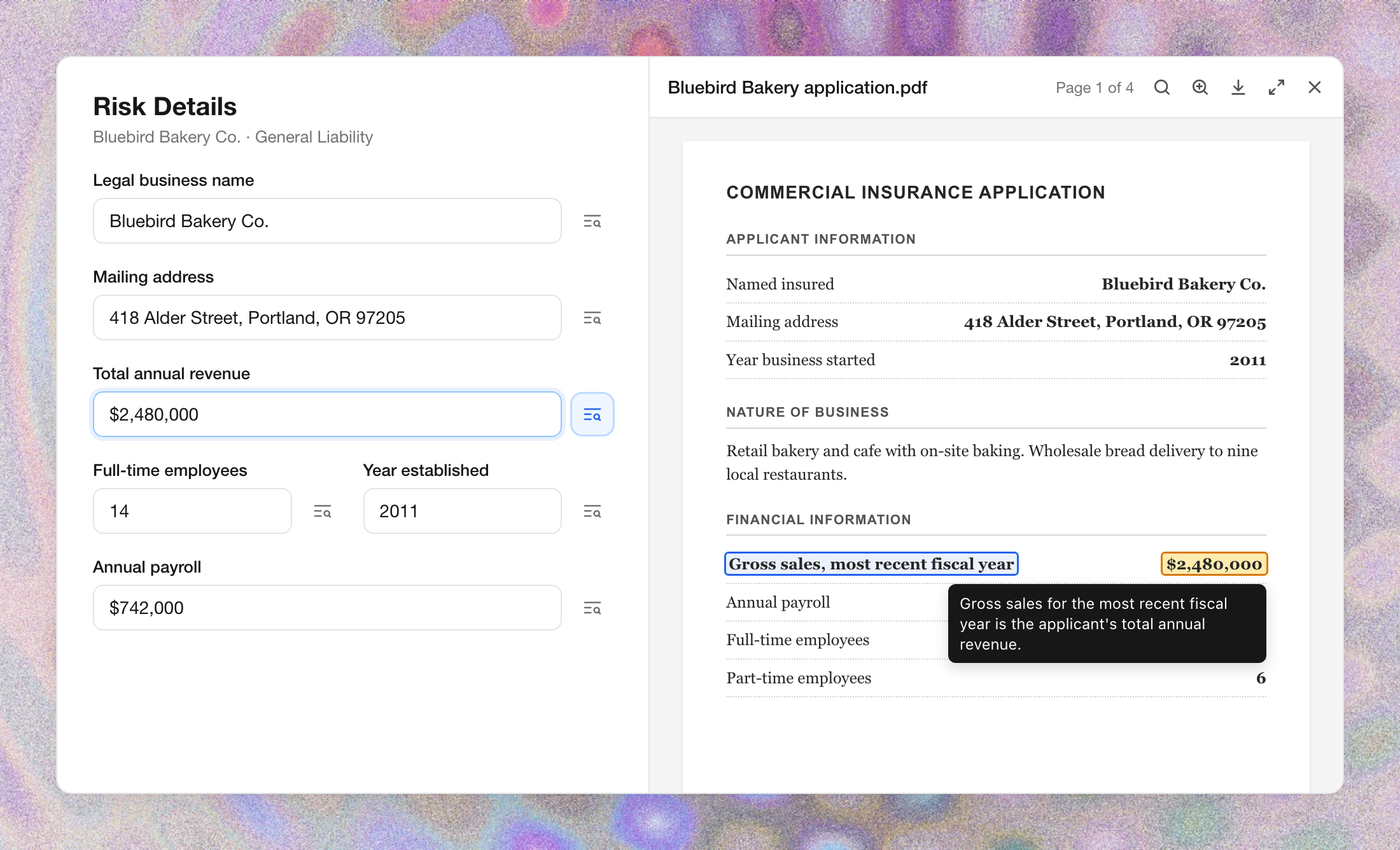
The IPS extracts risk data from a submission's documents and quote details from each carrier's quote. It now shows where every one of those answers came from, and it works on both. A source button sits beside each answer Herald filled in, on the application form and on a quote's coverage details.
How it works
- Open the document beside the form
- Check the answer against the highlighted text
- Click again to step through each place where the text appears
- Search, zoom, download or expand the document
What the highlights mean
Each source can show two highlights on the page:
- Blue: the text Herald used to identify the answer
- Amber: the answer itself
Hover over a highlight to read why Herald chose that answer.
Self-serve team management
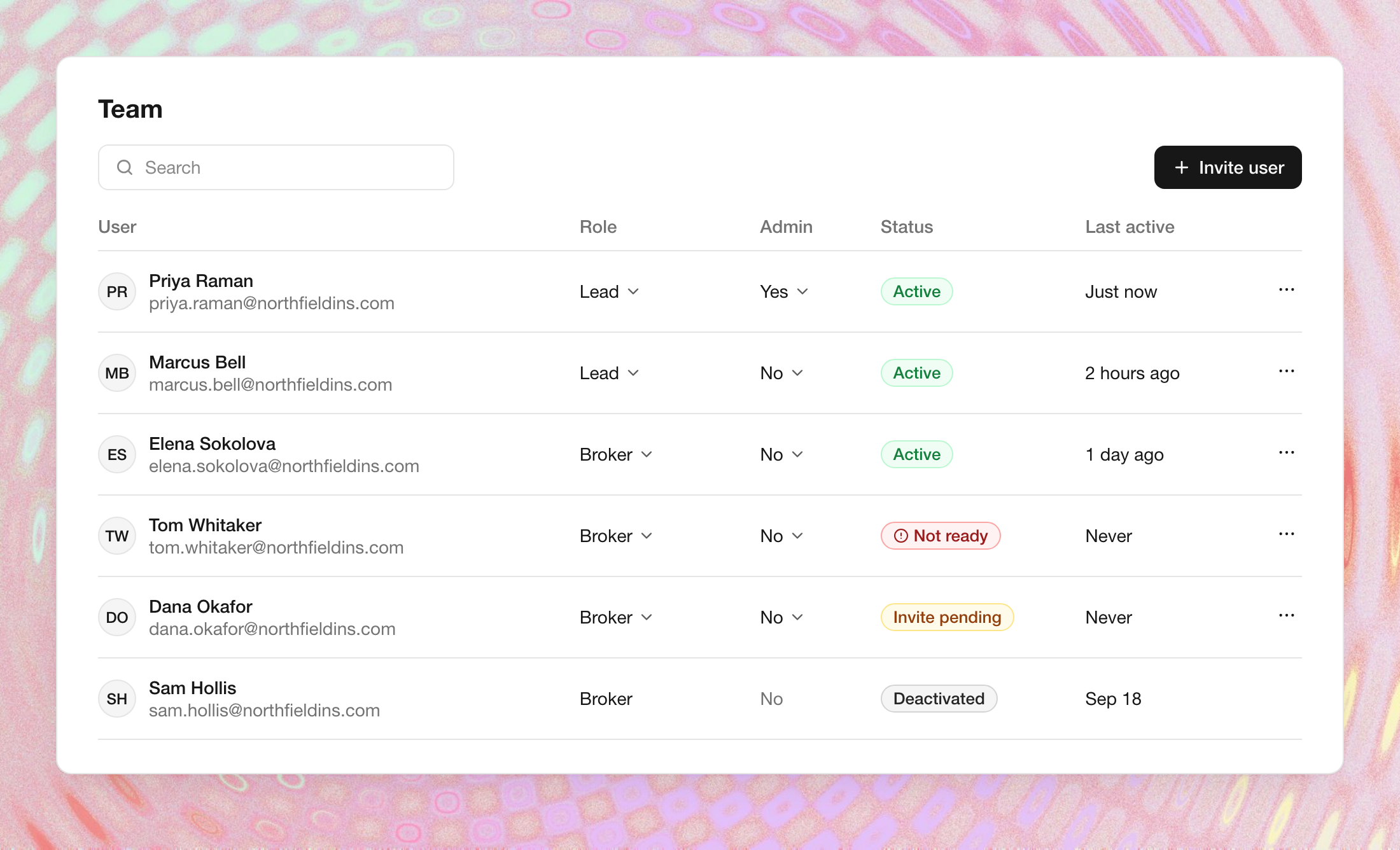
Admins can now manage their own users in the IPS. “Team” sits in the left sidebar.
What you can do yourself
- See all users in the organization
- Invite someone new
- Change a person's role, or give and remove admin
- Deactivate someone, which ends their access on their next request
Roles and admin
A person holds one role, which decides what submissions they see:
- Lead: all their team's submissions
- Broker: their own submissions only
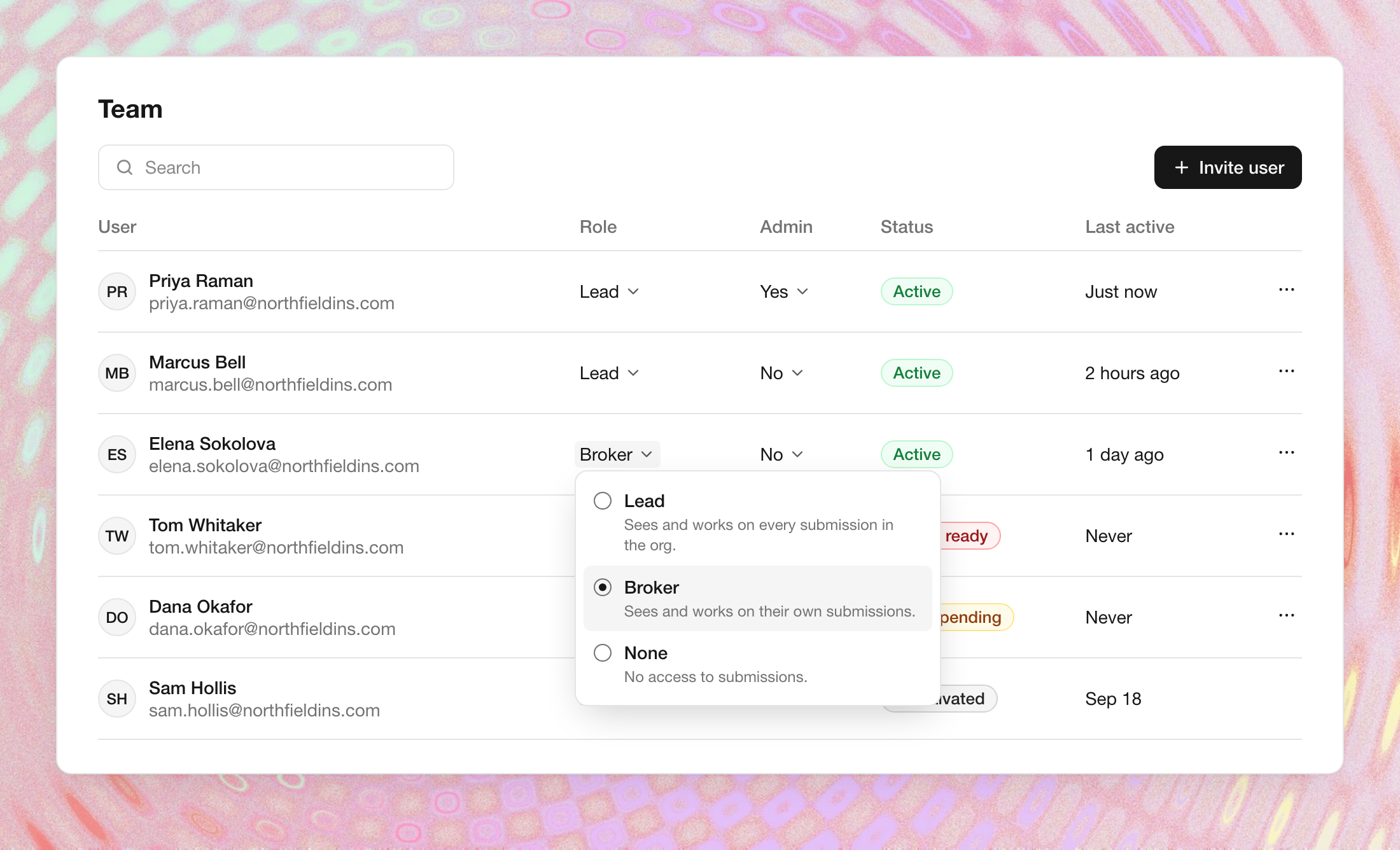
Admin is separate, a yes or no alongside the role that lets someone manage team permissions.
What still comes to Herald
One step stays with us: setting up a new person's carrier connections, so they can quote.
- Invite whoever you like, whenever you like
- A person whose carrier setup is unfinished shows as Not ready in the list. They can sign in, and they land on a card explaining why
- When we finish, their access opens with nothing further from you or from them
- The invite form warns you if the person has no carrier setup yet. The invite still sends